
Runtime UI Components
The runtime UI layer is intentionally thin. It should render the active conversation state and forward user interaction back to the manager.
DialogUIController
DialogUIController is the bridge between DialogManager and the actual scene or prefab UI. It expects references for the panel root, speaker label, dialog text, portrait image, choice container, choice prefab, skip button, panel button, and autoplay visuals.
ChoiceButtonView
ChoiceButtonView renders and animates one selectable choice row. It supports hover selection, click handling, outline highlighting, pulse animation, and optional hotkey hints.
DialogueHistoryView
DialogueHistoryView is a pooled list renderer for history entries, designed for append-heavy backlog display with scroll-to-bottom behavior.
Common mistakes
- forgetting a
Buttonon the choice prefab root - letting child TMP labels intercept raycasts
- replacing prefabs without matching the controller's expected field layout
Runtime dialogue UI
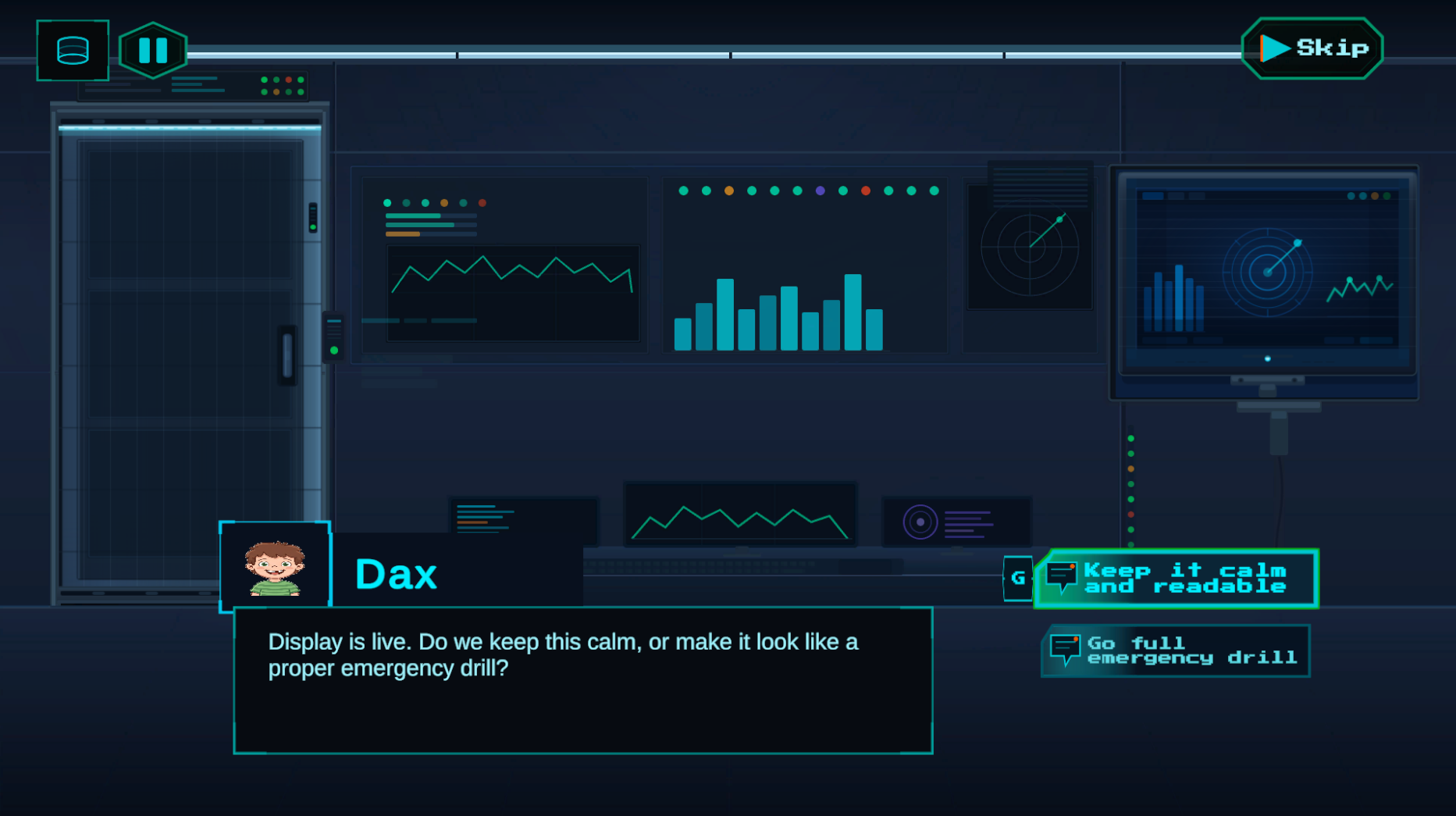
Best visual for this page.
History panel
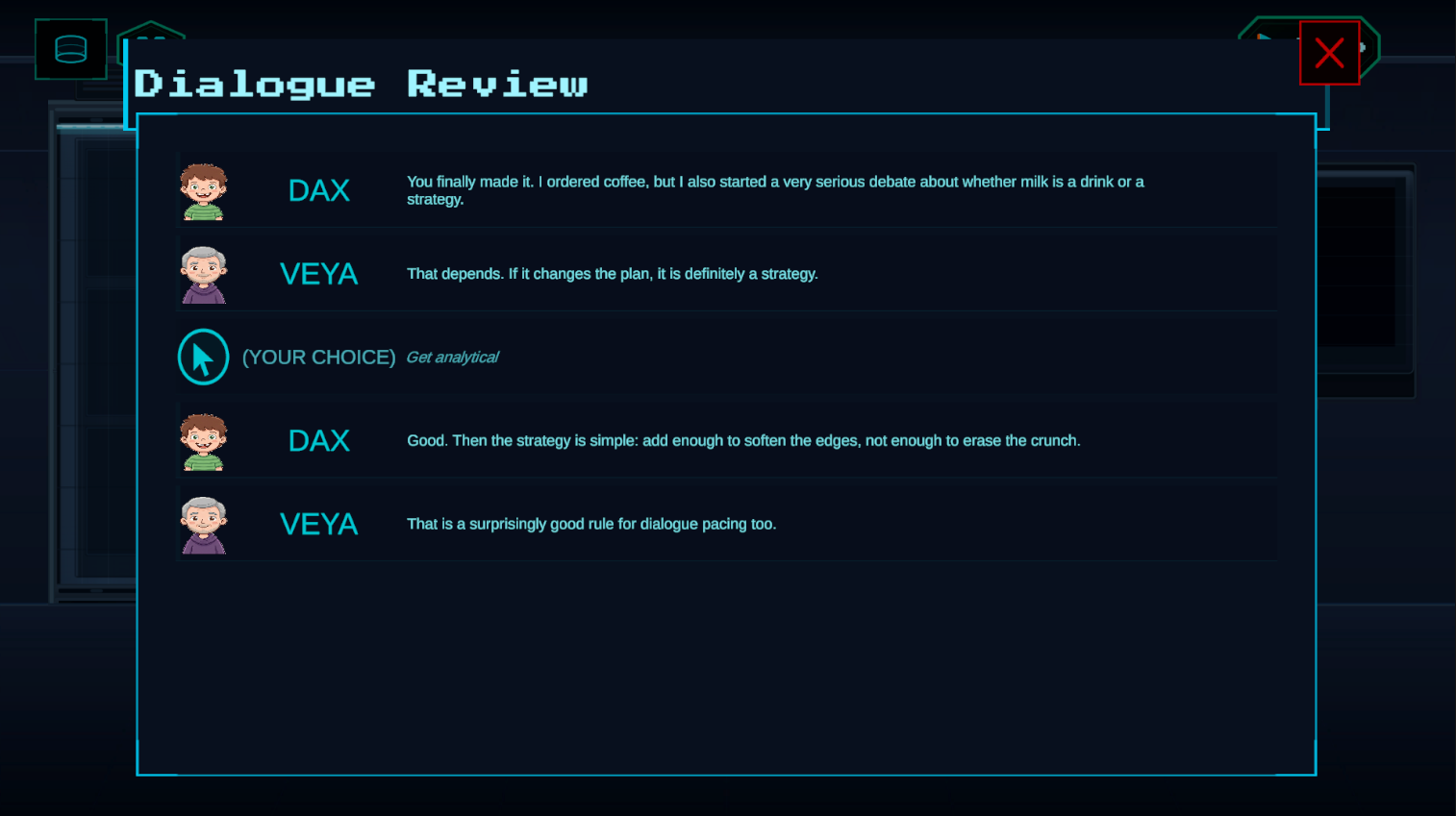
The DialogueHistoryView rendering the backlog of shown lines and player-selected choices.