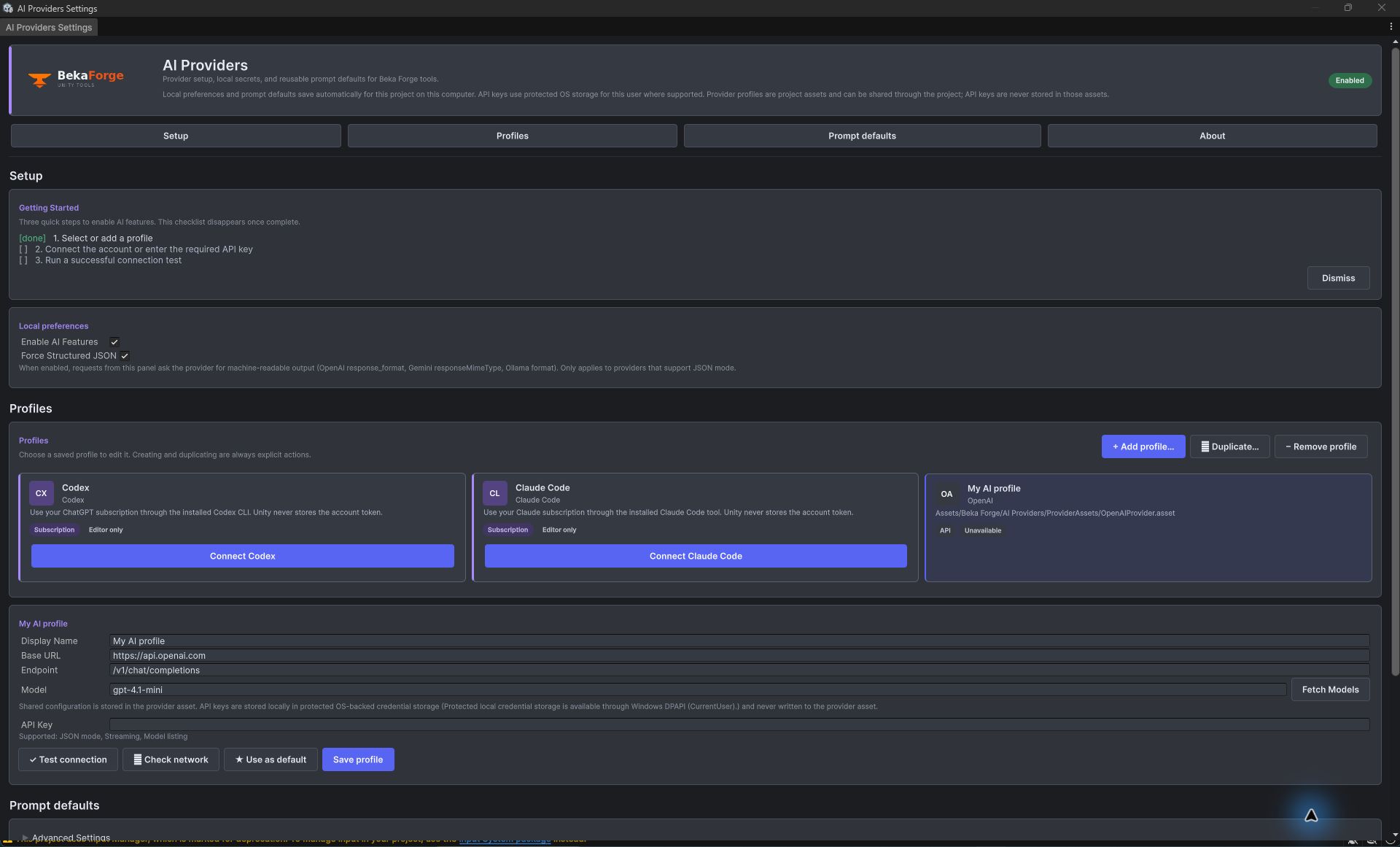
Settings and Keys
AI Providers separates reusable profile configuration from secrets and from editor preferences. A provider asset can be shared with a project; credentials and local editor state are deliberately kept outside that asset.
Layer 1: provider asset
The provider asset stores configuration such as display name, base URL, provider-specific endpoint behavior, default model, and provider GUID. It does not need a secret to be committed with project files.
Layer 2: local API key storage
API keys are stored outside the asset in OS-backed protected credential storage on supported platforms, scoped to the project and provider GUID. Unsupported platforms report that persistence is unavailable instead of silently writing a plaintext fallback. The key field in the editor is masked.
Use Tools > Beka Forge > AI Providers > Settings to add or select a profile, enter the key into its local credential field, save the profile, and run Test connection. A normal edit preserves the provider asset GUID and its credential scope. Duplicating a profile creates a new GUID, so the duplicate needs its own credential entry.
Platform storage and legacy migration
Windows uses DPAPI and macOS uses Keychain for protected OS-backed credential storage. Linux protected credential persistence is unavailable. Legacy plaintext PlayerPrefs values migrate on read and are removed after successful migration. Check the editor's displayed storage status before relying on persistence.
Layer 3: editor preferences
Editor-only preferences, such as which profile is selected in a window, are stored separately from the provider asset and credentials. Subscription connections through Codex or Claude Code are also editor-only; they do not provide a player-build API credential.
Online documentation links
The Documentation and Website buttons fetch the public site-config.json when clicked. Edit products.aiProviders.docsPath and products.aiProviders.websiteUrl there to change destinations. Valid links are cached locally; offline or invalid responses retain the last valid links, or bundled defaults when no cache exists. The request times out after five seconds and sends no provider keys, prompts, or project contents. Drawing the UI makes no configuration request.
Security posture
- Never paste a key into a provider asset, source file, screenshot, log, or version-controlled settings file.
- Protected credential storage is available only on supported platforms; check the editor's storage status before relying on persistence.
- Credential storage is not a team secret manager. Share profile configuration, not API keys.