
Core Concepts
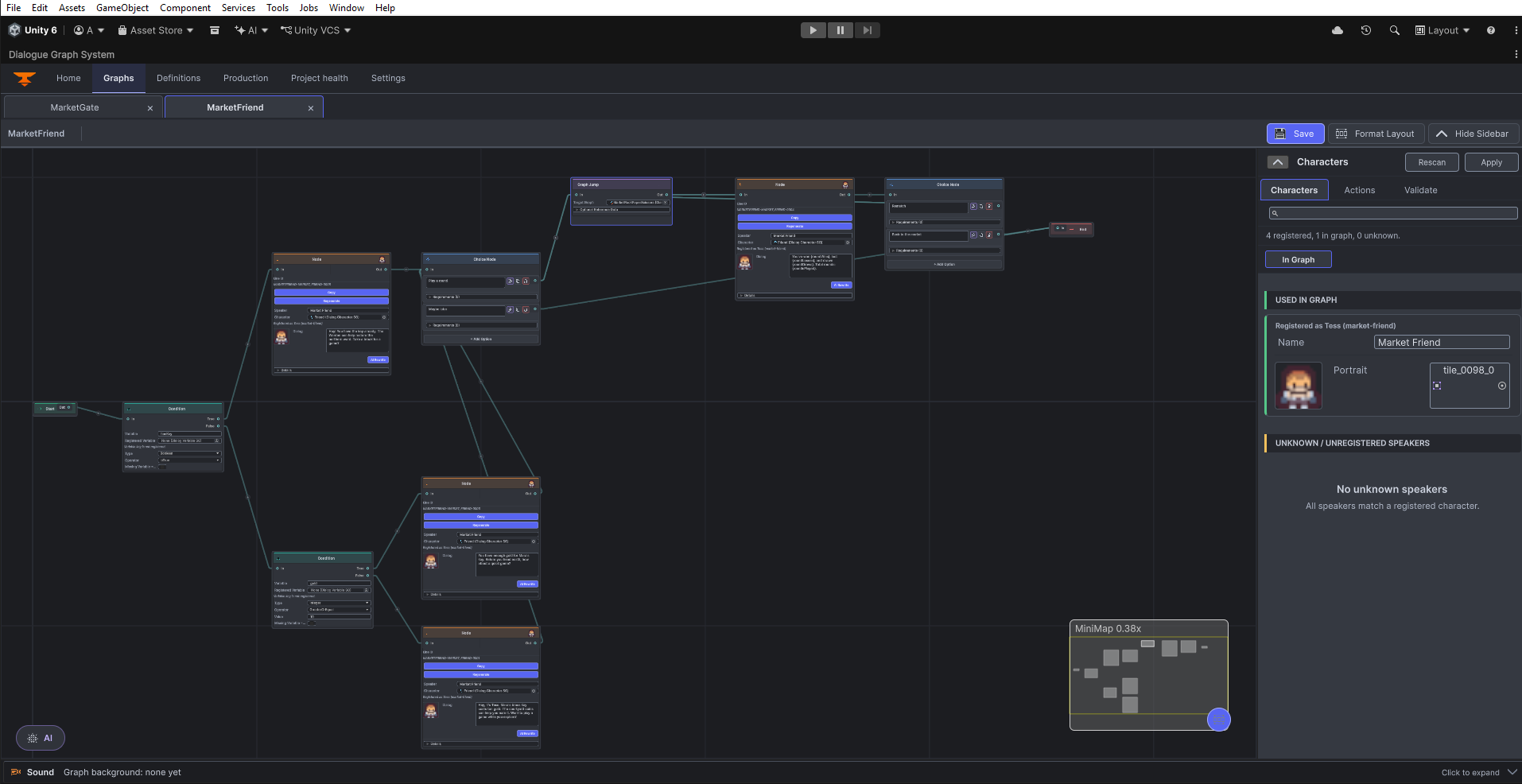
A DGS conversation is a saved graph: dialogue content is linked into a path, the runtime resolves the next node, and optional modules add authored workflows around that core.
DialogGraph
DialogGraph is the conversation asset. It stores nodes and directed links by stable node GUID; Unity scene objects are not the edges in the conversation. Start and End are boundary markers, while the linked nodes hold the playable content. This graph model is the basis for saving, graph validation, JSON transfer and runtime traversal.
Node types
Start
The entry marker. DialogManager resolves the first playable node by reading the outgoing link from startGuid.
DialogNode
A spoken line with speaker and text data, optional character/portrait and voice references, plus authored presentation settings. A line can also use localization keys and runtime variable text formatting.
ChoiceNode
A decision point with per-answer text, optional requirements, and one outgoing path per answer. The active graph card has no prompt field; place the question in the preceding Dialog node.
ActionNode
A runtime side effect identified by actionId and optional payloadJson. The runner can invoke UnityEvent bindings or an IActionHandler; the node can also request a delay and wait-for-completion behavior.
Logic and flow nodes
ConditionNode checks a registered variable before choosing an outgoing route. VariableMutationNode writes a typed value at runtime. GraphJumpNode transfers execution to a referenced graph, and outcome/branch nodes support authored flow. Camera nodes are available when the Camera Controller integration is used. After changing links or node outputs, open the graph sidebar’s Validate tab and choose Validate Graph, then inspect the reported issues and visible connections.
End
The terminal marker.
Dialog IDs
For a registered conversation, DialogManager.dialogGraphs maps a dialogID to its graph. Use PlayDialogByID when the ID is your stable gameplay key. You can also start from a graph asset reference with StartDialog(DialogGraph). Conversation action sets and the last-played branch record use the dialog ID when one was supplied.
Settings model
The master DialogSystemSettings references separate text, choice, input, audio, and runtime-UI settings assets. DialogSettingsRuntime loads the shipped master from Resources/DialogSettingsSO/DialogSystemSettings; a DialogManager can also provide local overrides. UI appearance is configured separately with the dialogue theme and, when installed, the UI Themes catalog/layout tools. See Settings and theming.
History versus transcript
DialogueHistory records committed lines and choices for the player-facing backlog, with configurable retention and a pooled view. Separately, the runtime keeps the most recent branch path for a dialog ID. GetLastPlayedDialogTranscript uses that record and the current graph to rebuild a transcript; if the graph or branch record is unavailable, reconstruction can fail. See History and transcripts.
JSON workflow
The Production workspace can export graph JSON and preview/validate JSON before import. Imports make a new independent copy by default; explicit Restore is for a matching existing target, while overwrite is a separate operation with transaction safeguards. Review the result in the editor and keep the graph asset as the project’s active source. See JSON import and export.
Optional integrations
Optional content modules add focused workflows without changing the core graph model. For contextual exchanges, see Set up Banter; for timed clips and graph/node sound behavior, see Set up Walla sound. AI authoring is a separate optional workflow; see the AI authoring guide.